
Accessing the email log
You can access the email log of your school with the help of the following steps:1
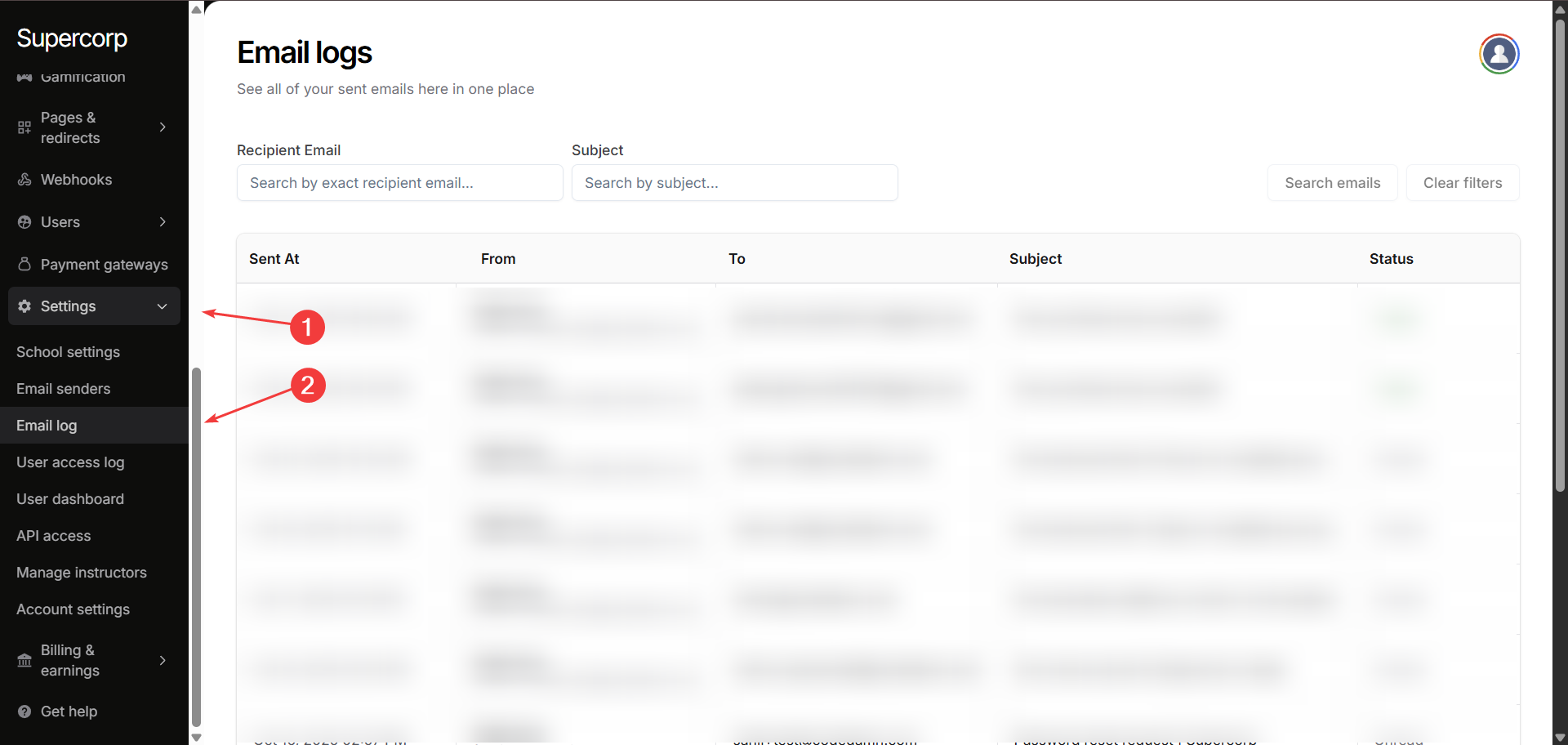
Navigate to settings
In your instructor dashboard sidebar, go to Settings → Email Log. This will open the email log dashboard where you can view all sent emails.
2
Search and filter emails
Use the search bar to filter emails by:
- Recipient Email: Enter the exact email address of the recipient.
- Subject: Search emails by subject line.
Email log overview
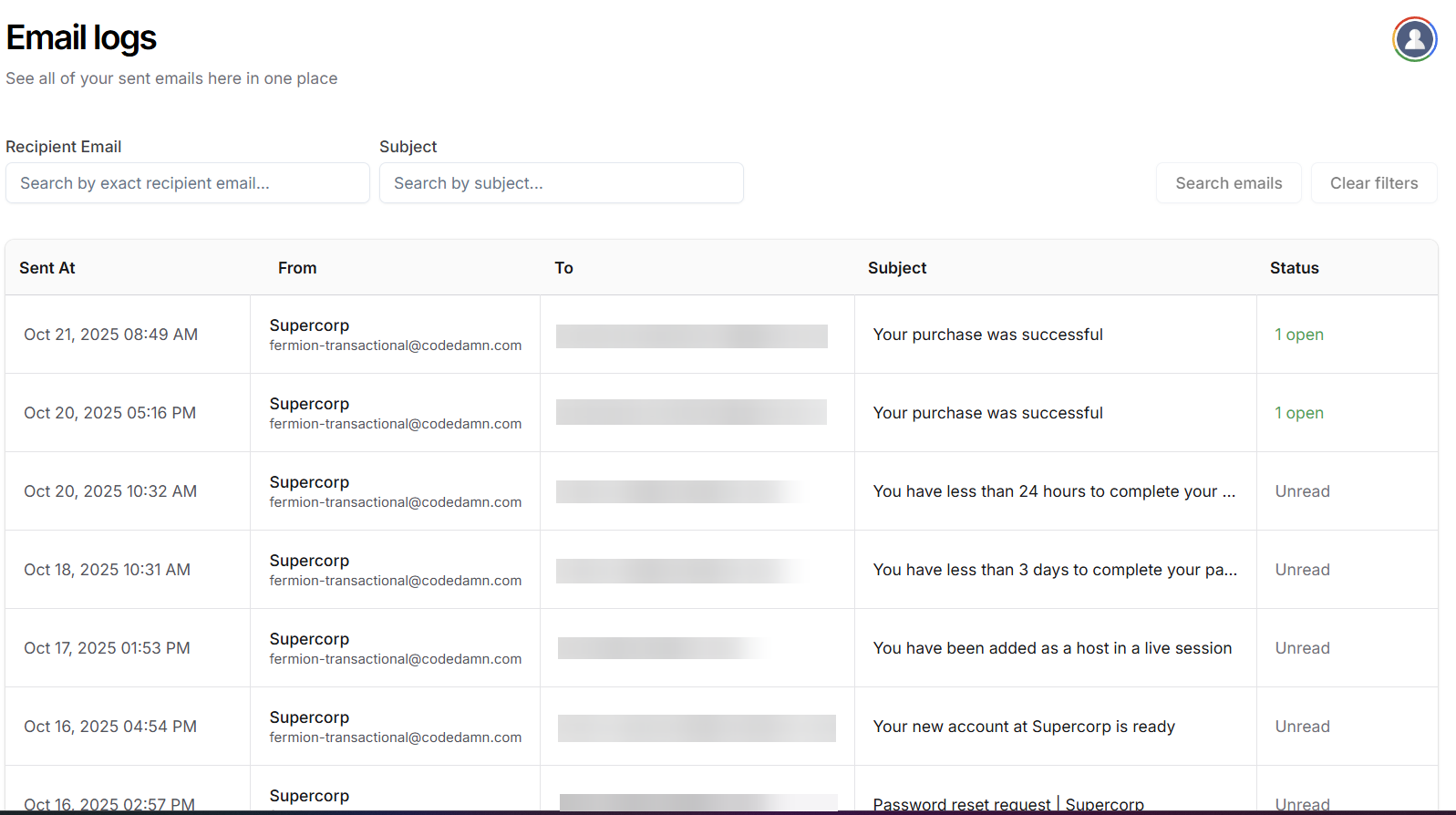
Once you are in the Email Log, you can view detailed information about each email sent:- Sent At : The date and time when the email was sent.
- From : The sender’s email address.
- To : The recipient’s email address.
- Subject : The subject line of the email.
- Status : Displays whether the email has been opened or unread.
Why do you need email logs?
The Email Log is an essential tool for managing and monitoring all communications sent from your school. It provides complete visibility into email delivery, helping you ensure that important messages reach students and instructors reliably. By tracking email status: whether opened or unread, you can identify potential delivery issues and take corrective action quickly. Maintaining a centralized record of all emails also supports compliance, internal audits, and troubleshooting, while giving insights into engagement to improve communication strategies. Ultimately, the Email Log helps you maintain professional, transparent, and effective communication across your school.Next steps
Email marketing
Manage your email campaigns to engage students and instructors effectively.
Email announcements
Communicate important updates via announcements to all course participants.