
Some features are disabled by default. You need to manually enable the features you want to use for your online academy.
How to enable/disable features
1
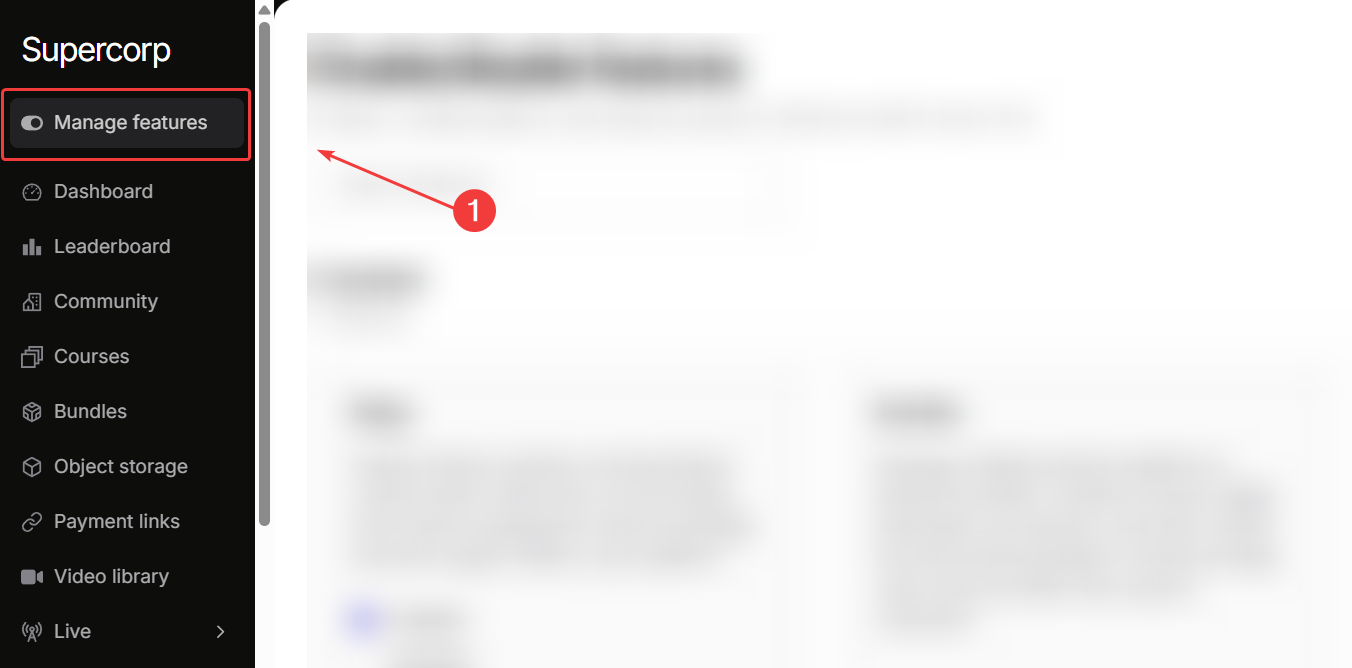
Navigate to Manage features
Go to your Instructor Dashboard → Manage features.
2
Enable features
Click on 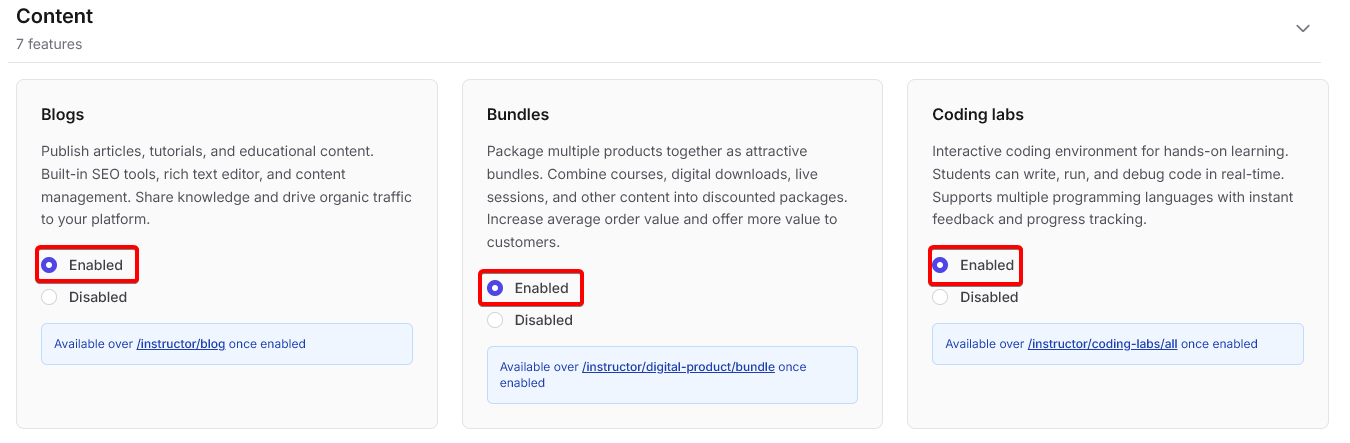
Enabled for any feature you wish to turn on for your school.
3
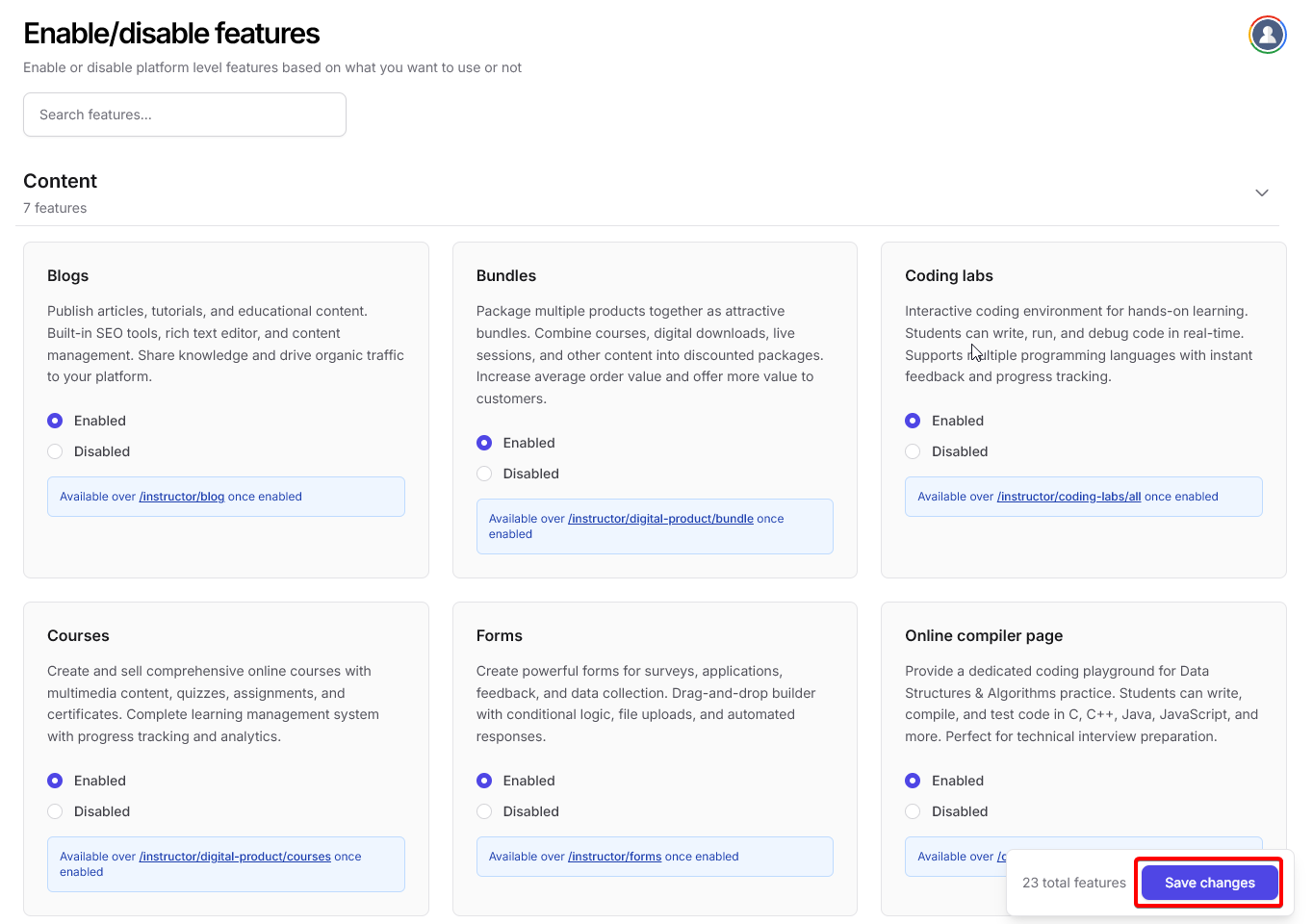
Save changes
Once you are done toggling all the features you need and don’t need for your school, click on save changes.
Feature overview
Fermion offers a complete suite of tools to build, market, and manage your online academy.Browse through the following feature categories to learn more. You can enable all the following features from the Manage Feature section in your instructor dashboard. Click on any of these cards to learn more about that particular feature.
Content features
Blogs
Publish articles, tutorials, and updates to engage learners beyond courses.
Courses
Create structured learning paths with videos, assignments, and quizzes.
Bundles
Combine multiple courses, eBooks, and live events into curated packages.
Coding Labs
Provide browser-based, interactive coding environments for students.
Forms
Collect feedback, registrations, or custom information with multi-step forms.
Online Compiler
Allow students to write and run code directly inside your platform.
Video Library
Manage and organize video content with captions, watermarking, and embedding.
Marketing features
Affiliate Marketing
Launch an affiliate program with automated tracking and payouts.
Analytics
Measure engagement, conversions, and revenue with advanced analytics.
Email Marketing
Automate email campaigns and updates to keep students engaged.
WhatsApp Marketing
Send promotions and course updates directly via WhatsApp.
Commerce features
Custom Payment Gateways
Integrate and manage multiple payment providers securely.
Custom Payment Links
Generate branded payment links for direct sales from end user.
Digital Products
Sell eBooks and downloadable content with secure delivery and watermarking.
Platform features
Custom Website
Build and design your academy’s website with full customization.
New User Registration
Control signup flows, verification, and approvals for new learners.
Communication
Live Sessions
Host live classes with chat, screen sharing, and auto-recording.
1:1 Calls
Conduct personalized one-on-one sessions with learners for mentorship, feedback, or doubt resolution.
Engagement
Community
Build discussion spaces and connect learners through posts and polls.
Assessment & gamification
Contests
Organize coding contests and assessments to evaluate learners.
Gamification
Motivate learners using points, badges, and leaderboards.
Storage & development
Object Storage
Securely store course materials and media files for distribution across your school.
Webhooks
Connect external systems using real-time event notifications.
Branding
Remove Fermion Branding
White-label your academy with your own colors, logo, and identity.
Feature Dependencies
Some features work well when other features are enabled in your schoolBundles + Courses
Bundles work best when paired with Courses, eBooks, or Live Sessions.
Affiliate Marketing + Products
Requires Courses or Digital Products to be available.
Community + Courses
Works best when combined with Courses or Live Sessions.
Webhooks + Integrations
Can be used with any feature to automate workflows and integrations.